
For venues
A kit for
your venue.
Logos, the door poster, the bar sticker and the sizes for your night poster, all in one place. Take what you need and put NOCTVM where people see it.
What you get as a partner.
The first five venues in each city become NOCTVM image partners.
- 01
Your venue page, free.
With your nights, which you publish yourself from the dashboard.
- 02
Your first night, featured free.
It shows in the spotlight and in the feed.
- 03
A pinned spot in "Trending venues".
In your city, until 30 November. For the first five venues in each city.
- 04
The "Founding venue" mark.
For the first five venues in each city. It is on its way: we add it to your page when it launches.
- 05
The weekend image for Stories.
Made by itself from the nights you publish. See it below.
The NOCTVM logo.
The light version is for dark backgrounds, the dark one for light backgrounds. Keep the colours and proportions.




Posters and sticker.
We send you the print files (PDF) with your venue's QR code and name: write to us and we'll make them. The code in these images is a sample.
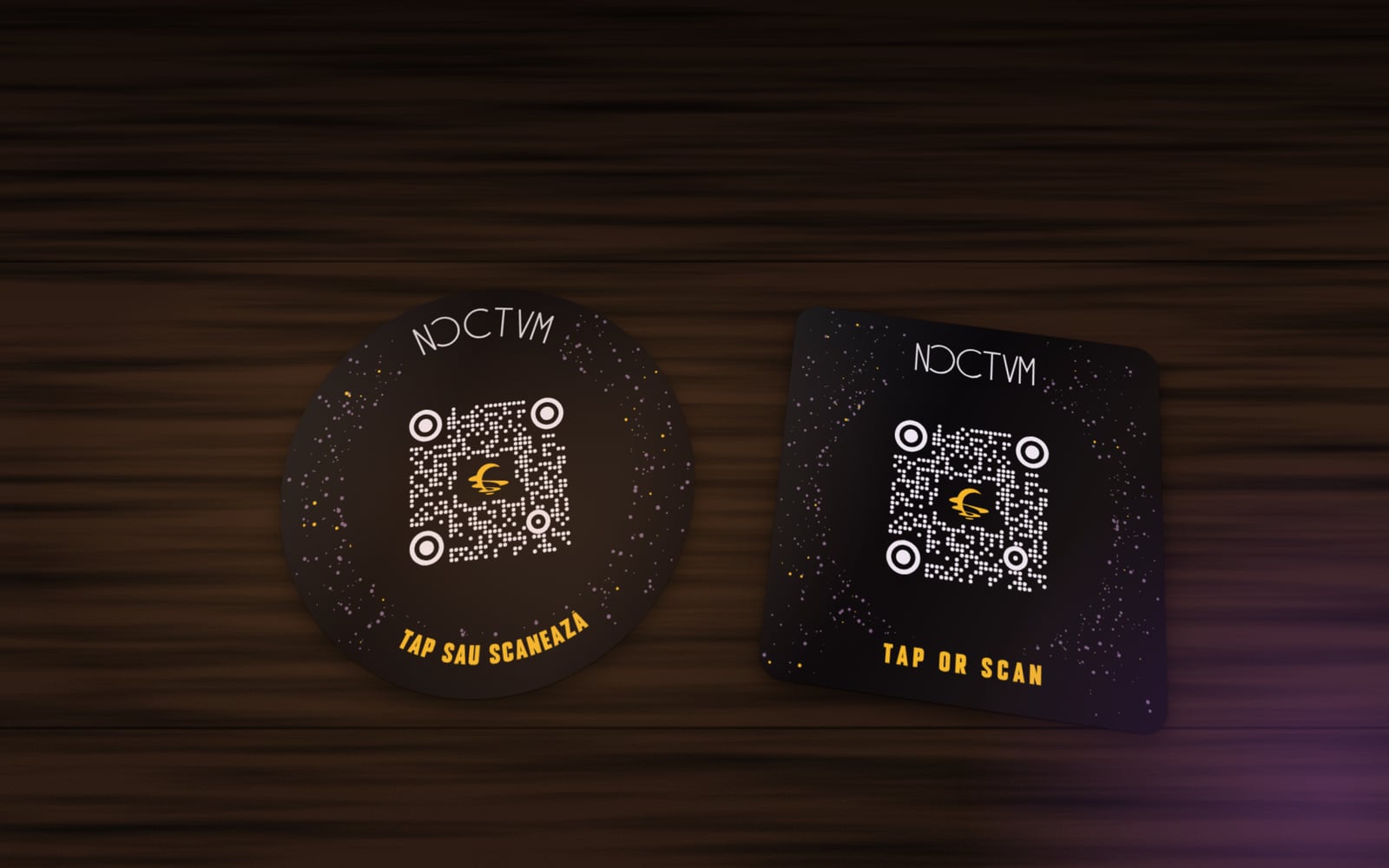
The bar sticker
Round 45 mm or square 50 mm, with a QR code and NFC. Stick it on the bar: people tap with their phone or scan and land on your page. The image is a mock-up.
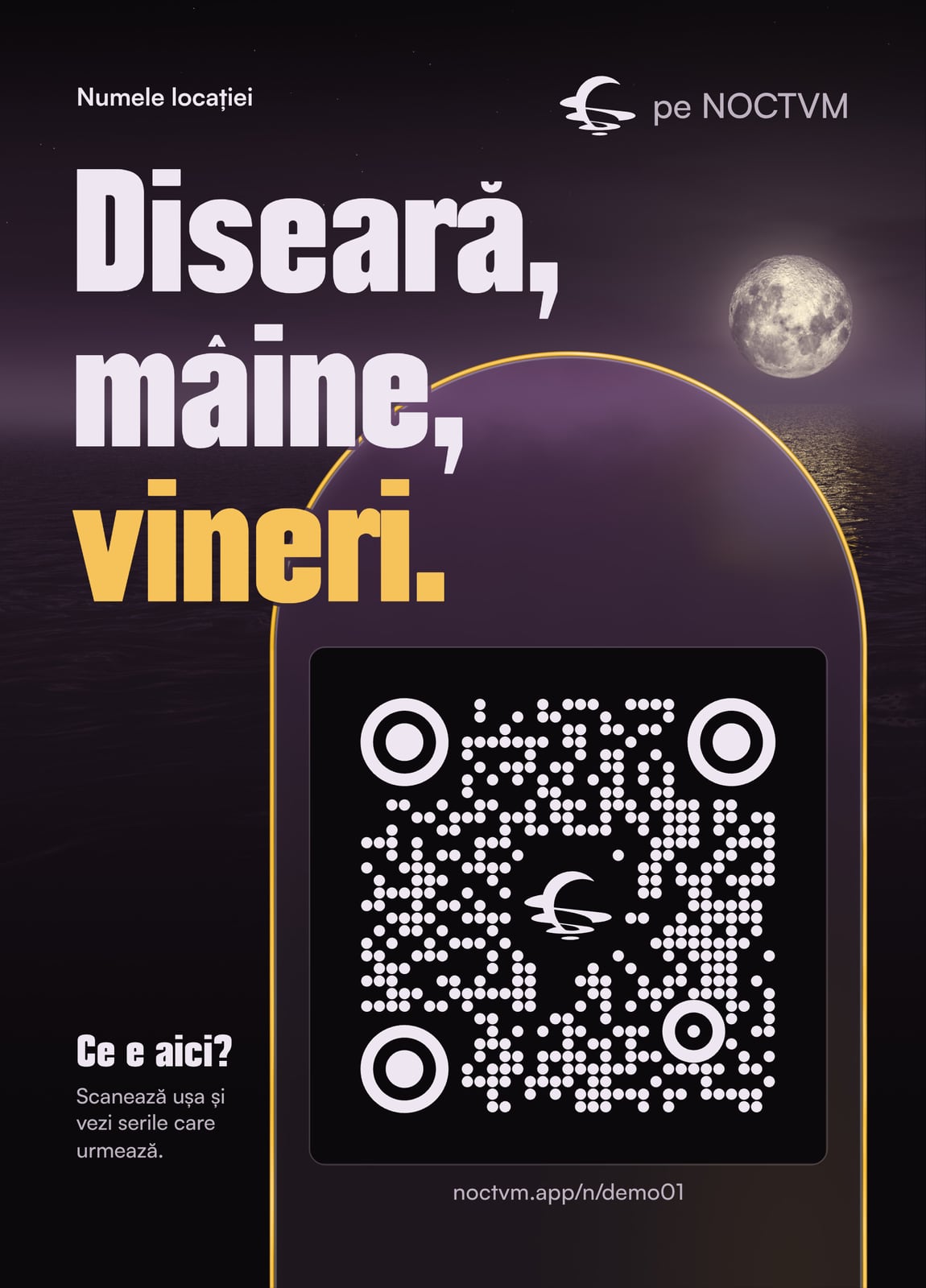
The door poster, dark
A5 (148 × 210 mm), also in A6 (105 × 148 mm). It goes by the entrance.
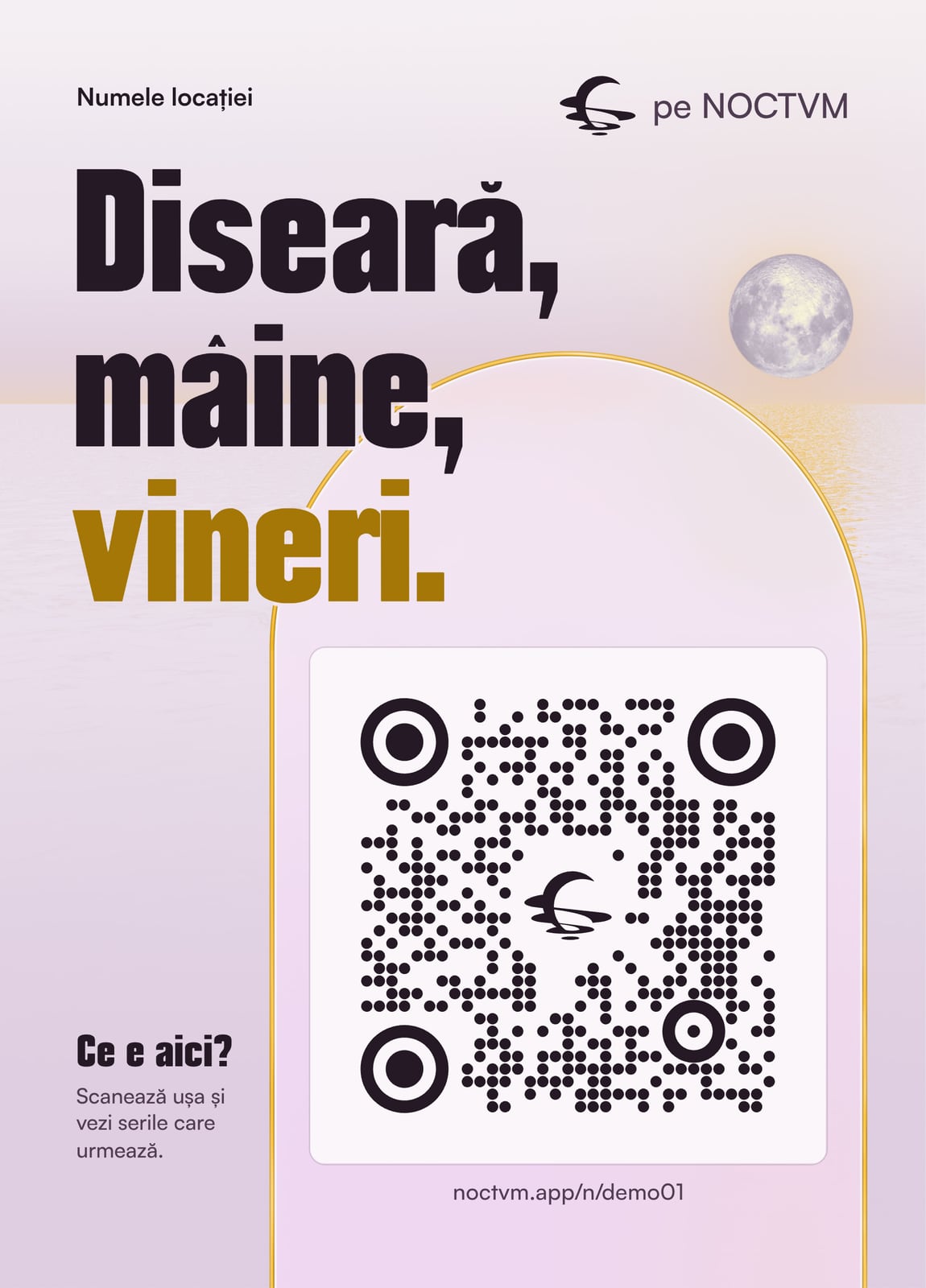
The door poster, light
The same poster on a light background, for bright doors and walls. Pick the one that shows better at yours.
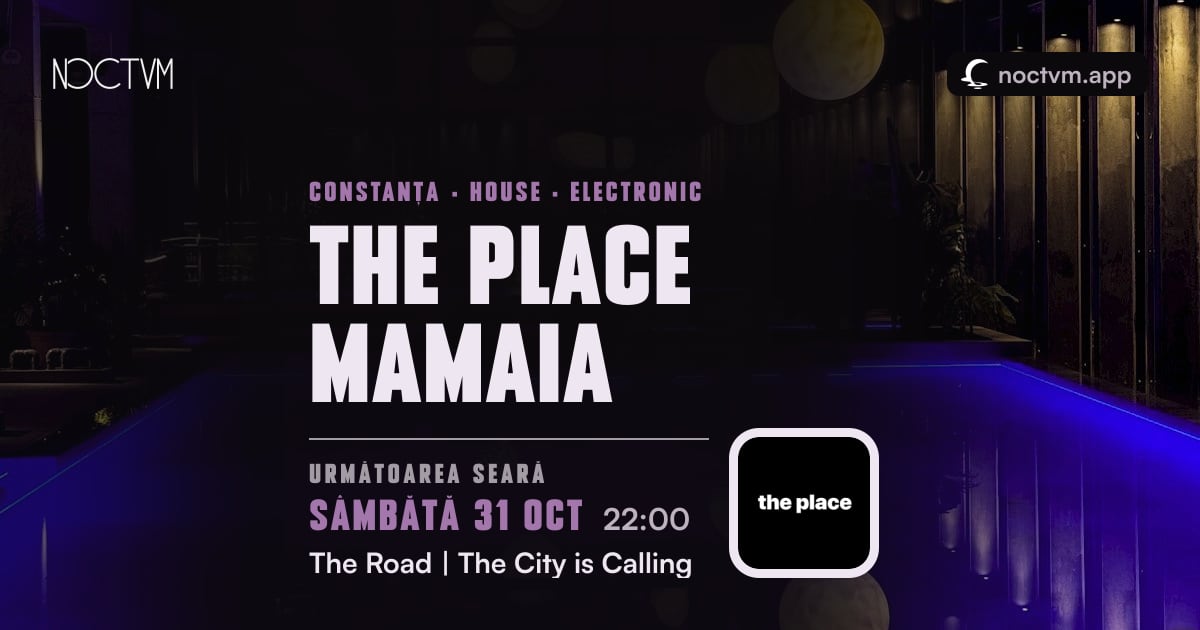
Your page's card
How your venue page looks when you send it on WhatsApp or Instagram (1200 × 630 px). Made by itself from the page. An example for another venue.
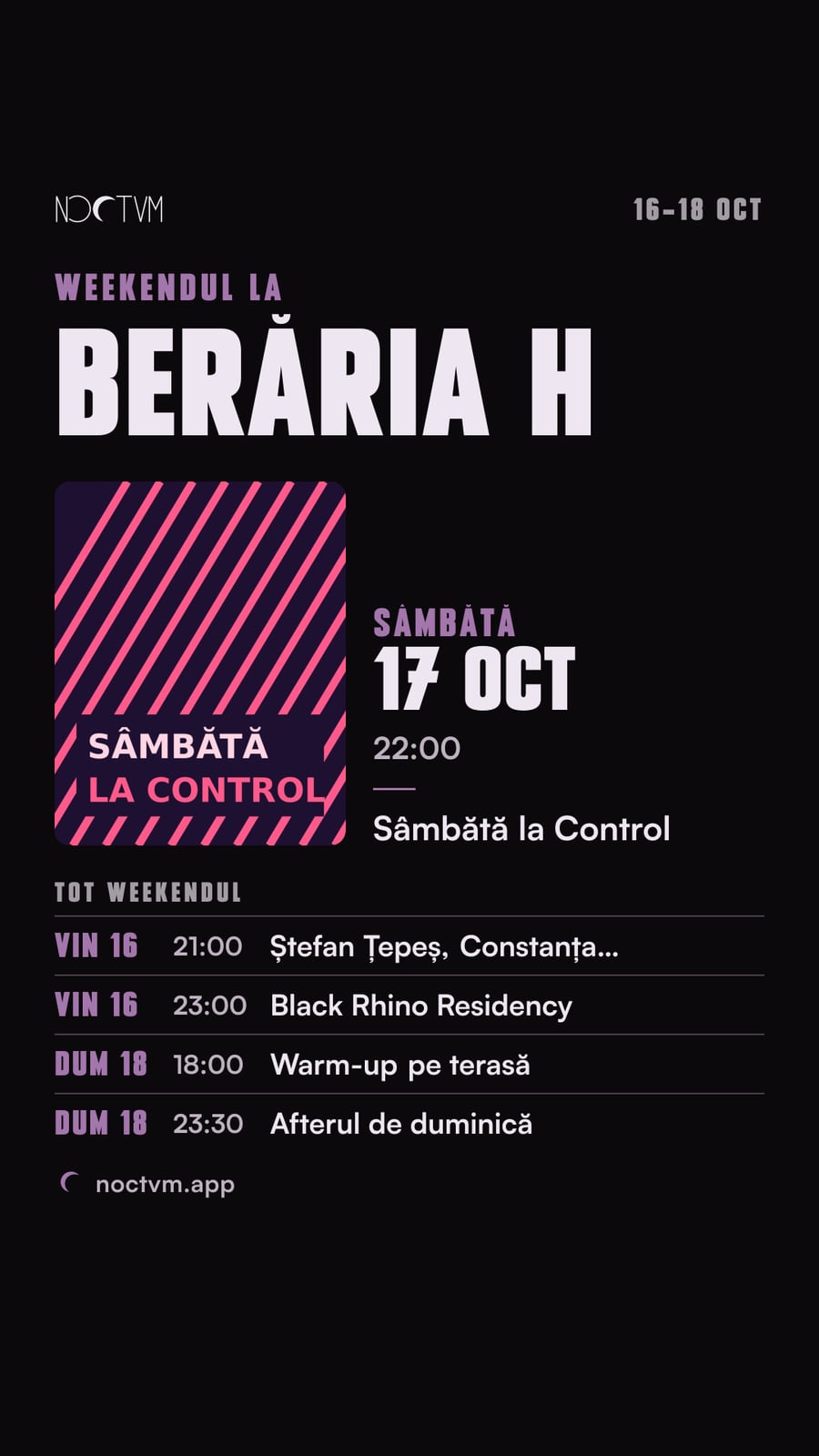
The weekend image for Stories
1080 × 1920 px, with your weekend's nights, ready for your Story. An example for another venue.
Your night poster: sizes.
Measured on the app's screens, on phone, tablet and desktop: what stays visible everywhere and where nothing covers your text. Download the guide for the shape you pick and lay it over your poster in your editor. Anything outside the safe zone may be cropped on some screens. Delete the guide before you export the poster.
- 3:2 works best (1620 × 1080 px). Wide posters show whole on the night's page and stay readable in lists. Tall ones (4:5, 3:4, 9:16) keep only their middle in lists, so the title, date and time go in the middle band.
- Keep the corners clear: the app puts the source label (top left), the price and the rating (right) over the poster, and on the night's page a calendar with the date and time at top right.
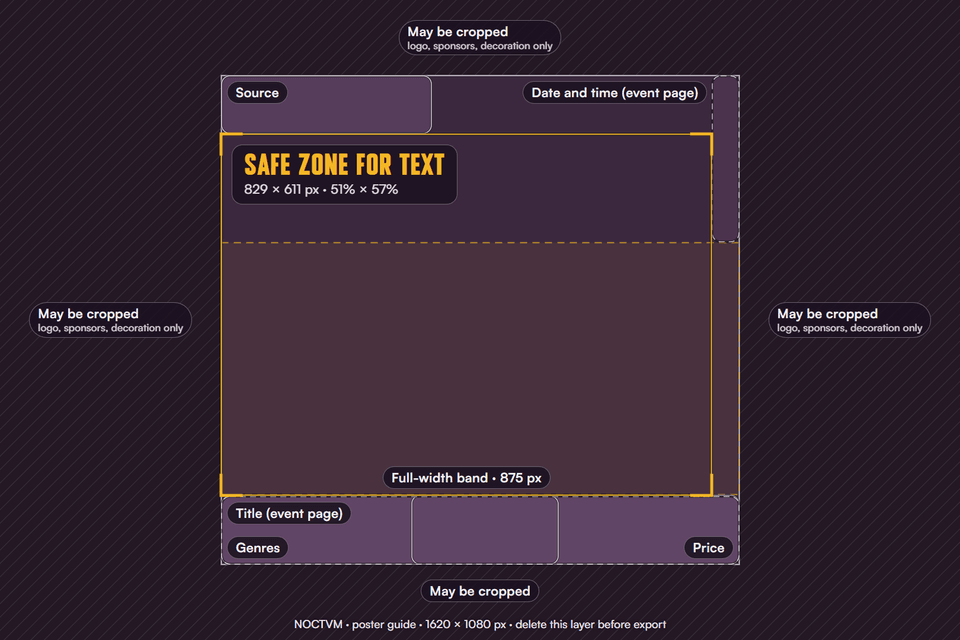
3:2 · 1620 × 1080Ideal
The recommended shape: it shows well everywhere.
Safe zone for text: 829 × 611 px (51% × 57% of the poster)
Download the guide (PNG)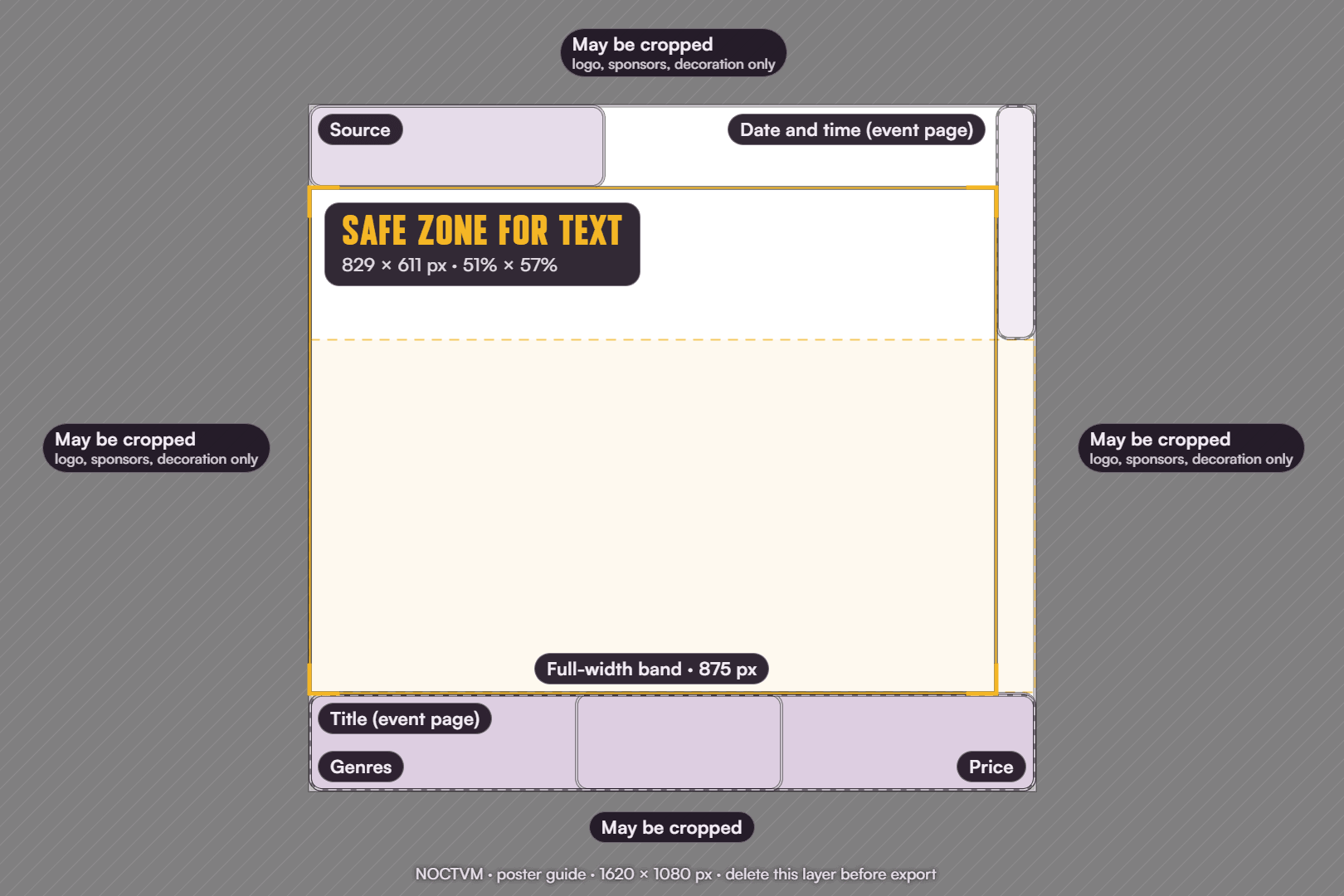
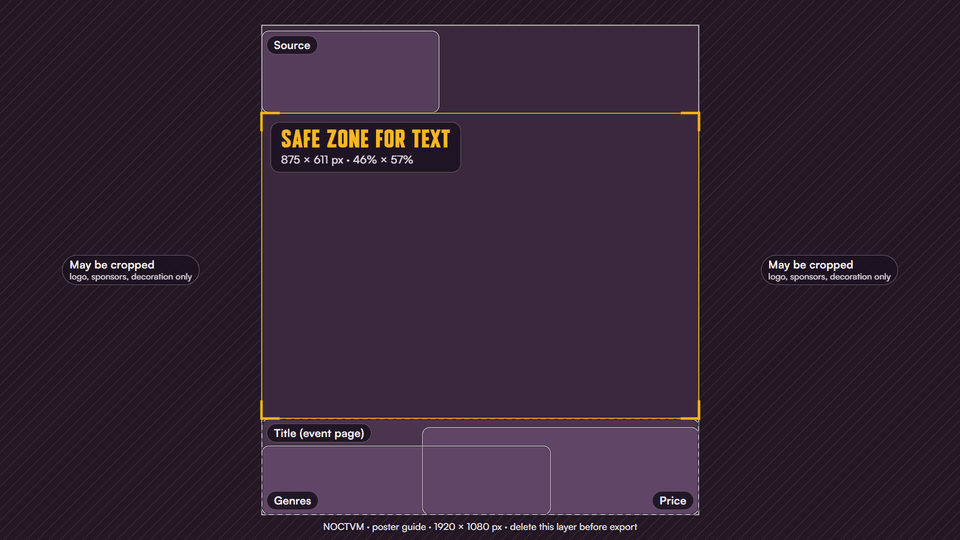
16:9 · 1920 × 1080
Wide, like a screen or a banner.
Safe zone for text: 875 × 611 px (46% × 57% of the poster)
Download the guide (PNG)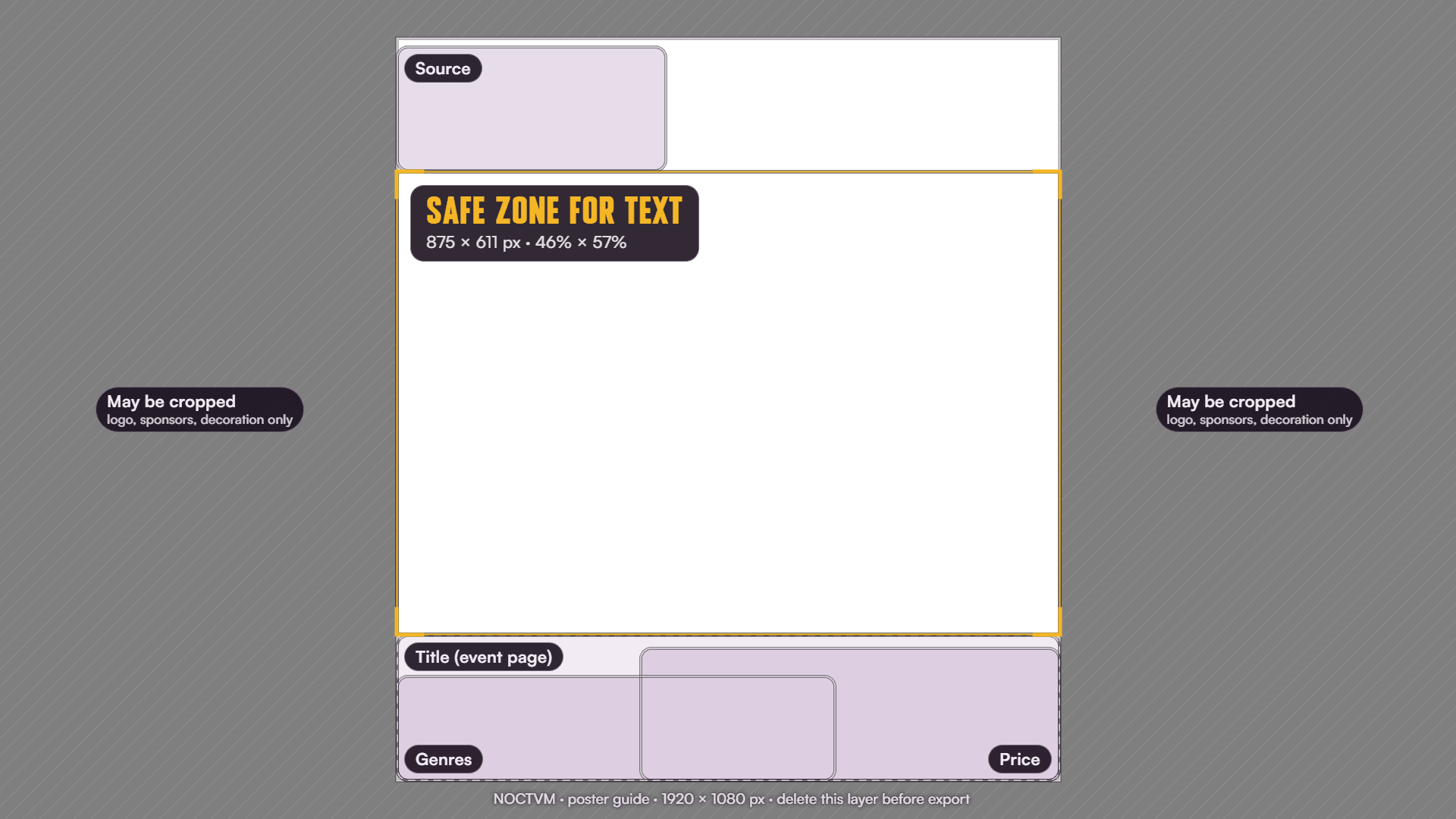
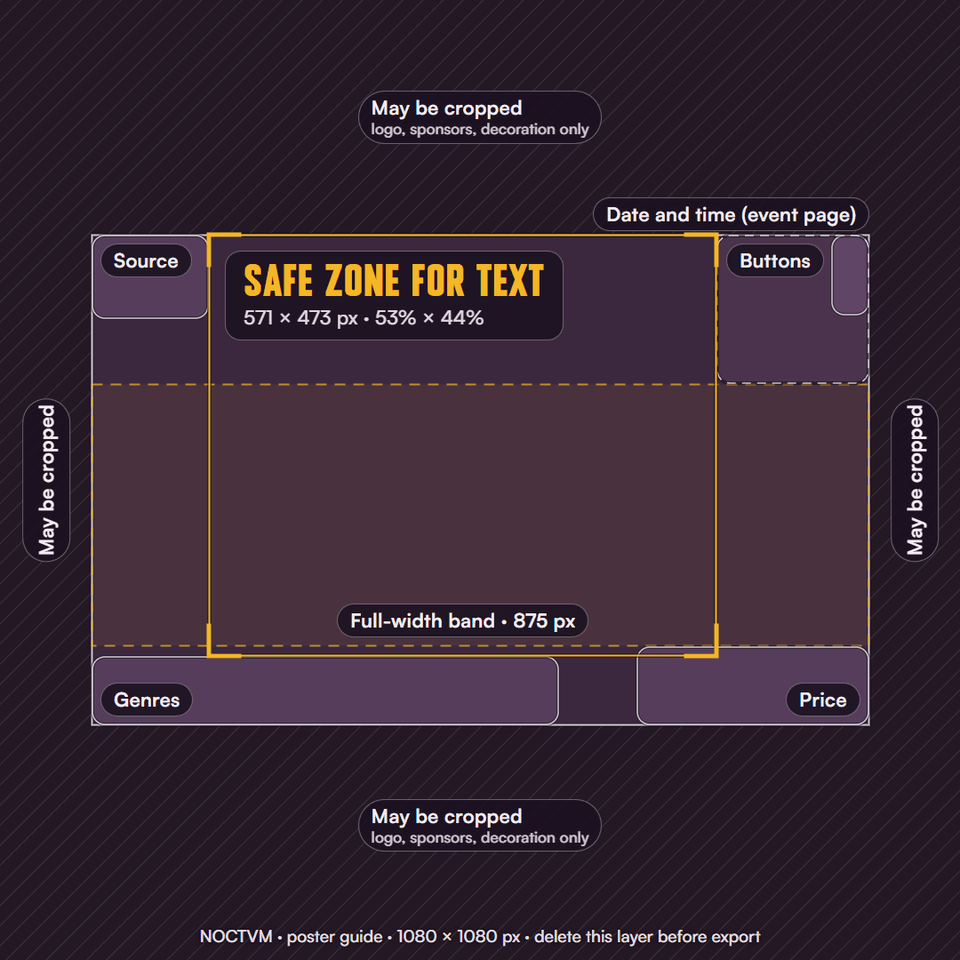
1:1 · 1080 × 1080
Square, works as a post too.
Safe zone for text: 571 × 473 px (53% × 44% of the poster)
Download the guide (PNG)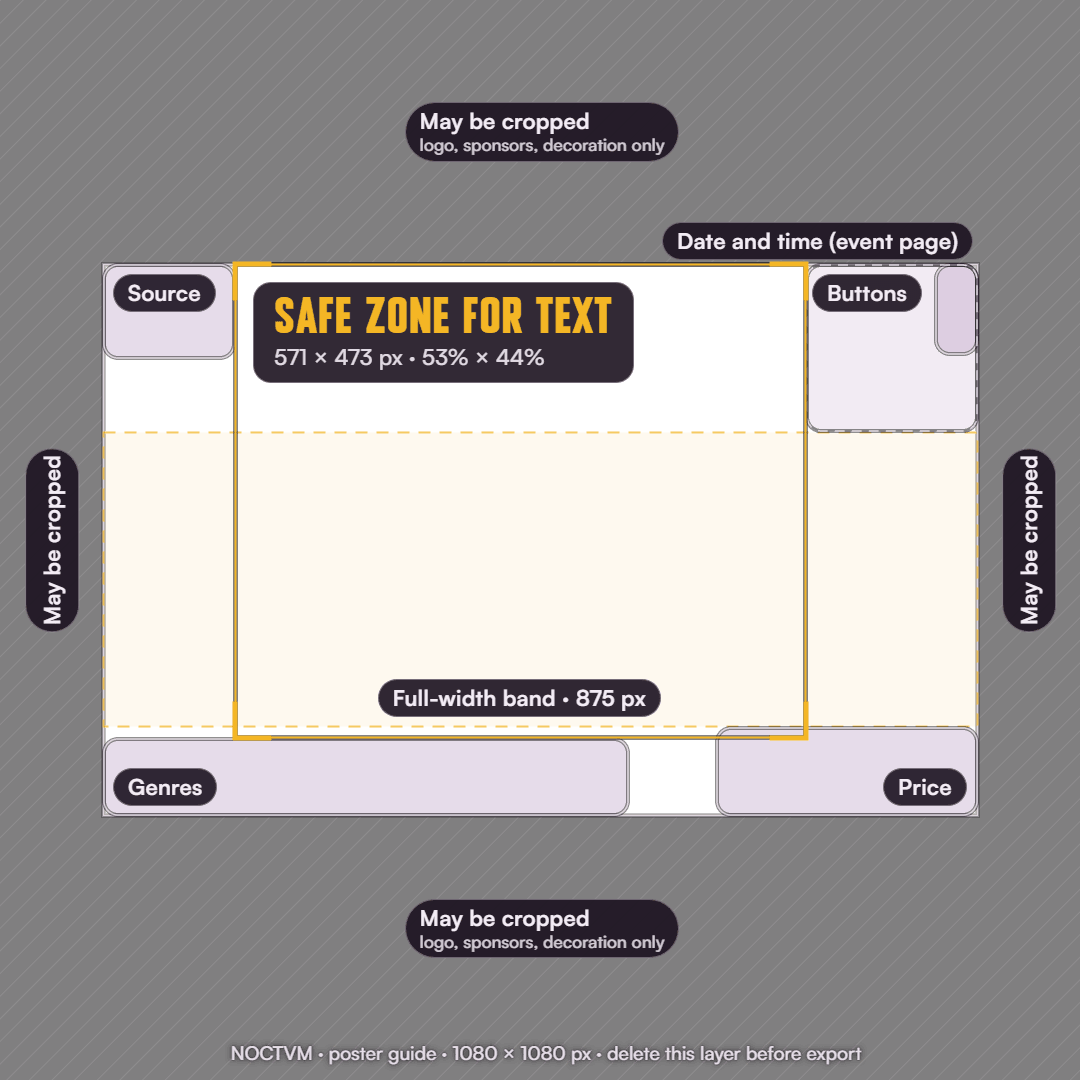
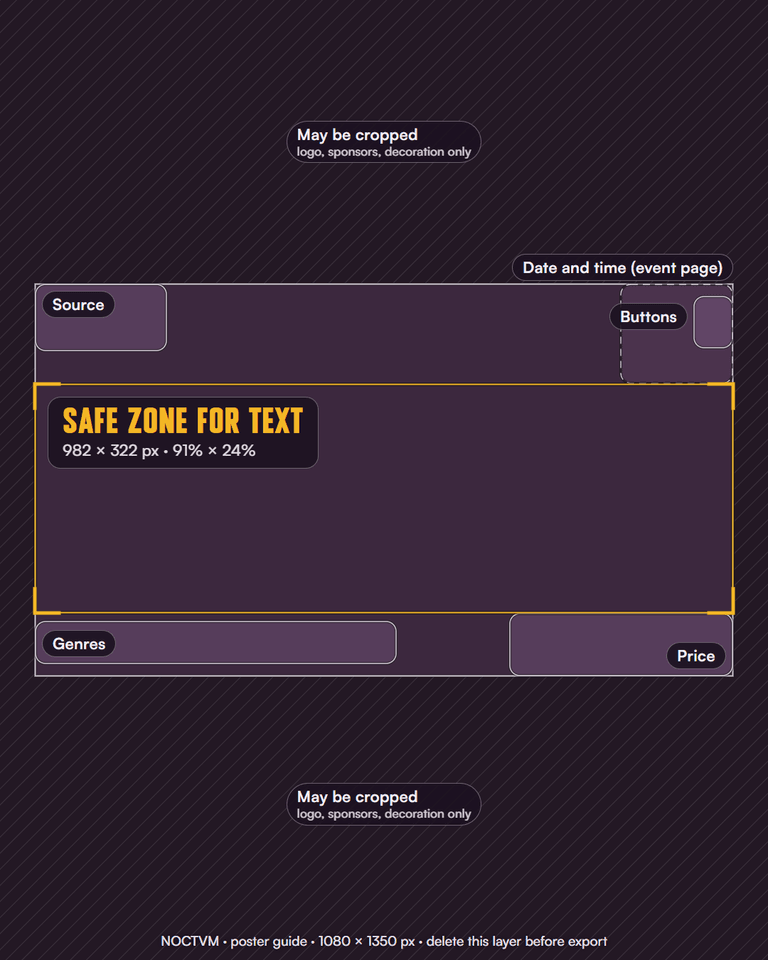
4:5 · 1080 × 1350
Portrait for Feed posts (Instagram).
Safe zone for text: 982 × 322 px (91% × 24% of the poster)
Download the guide (PNG)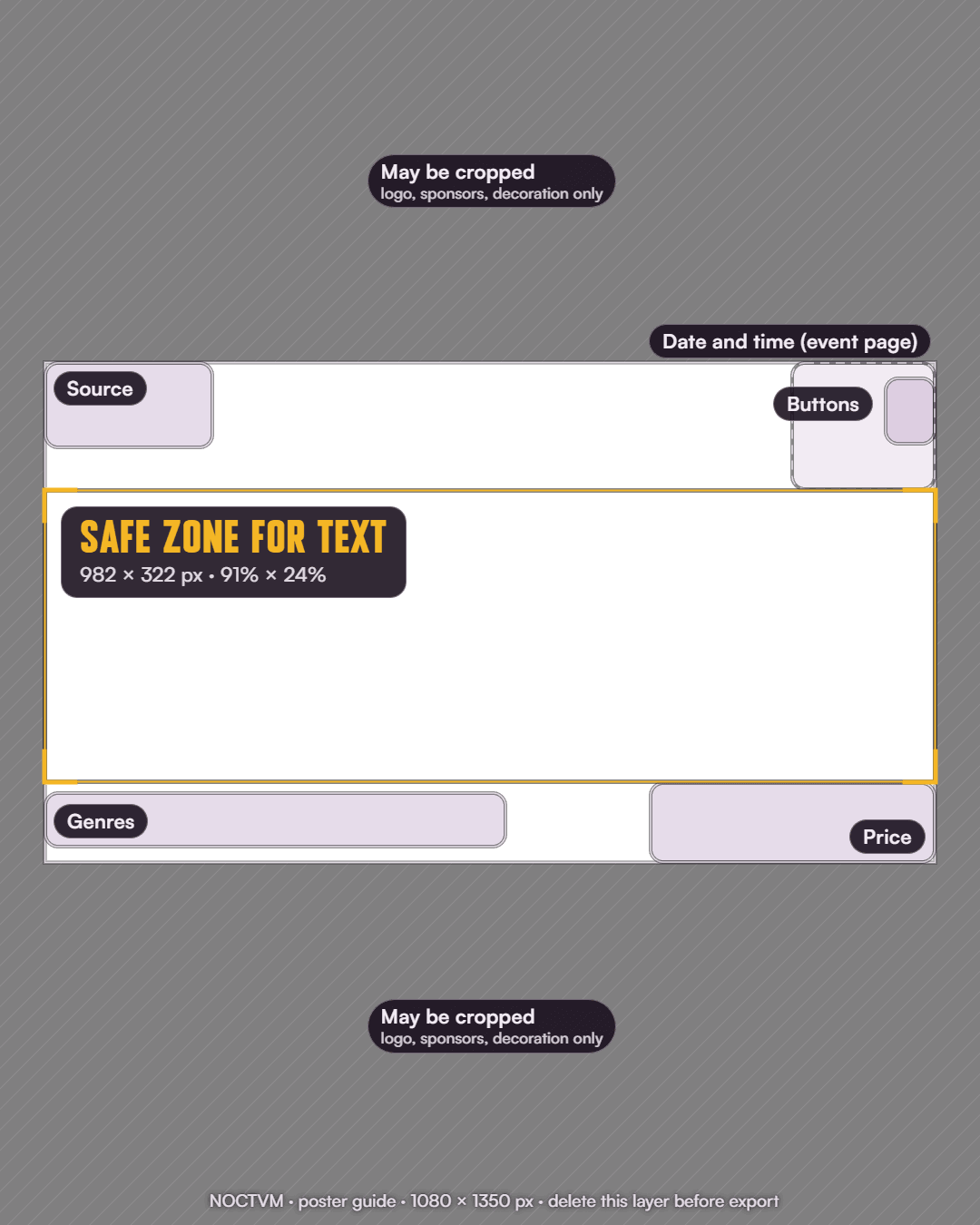
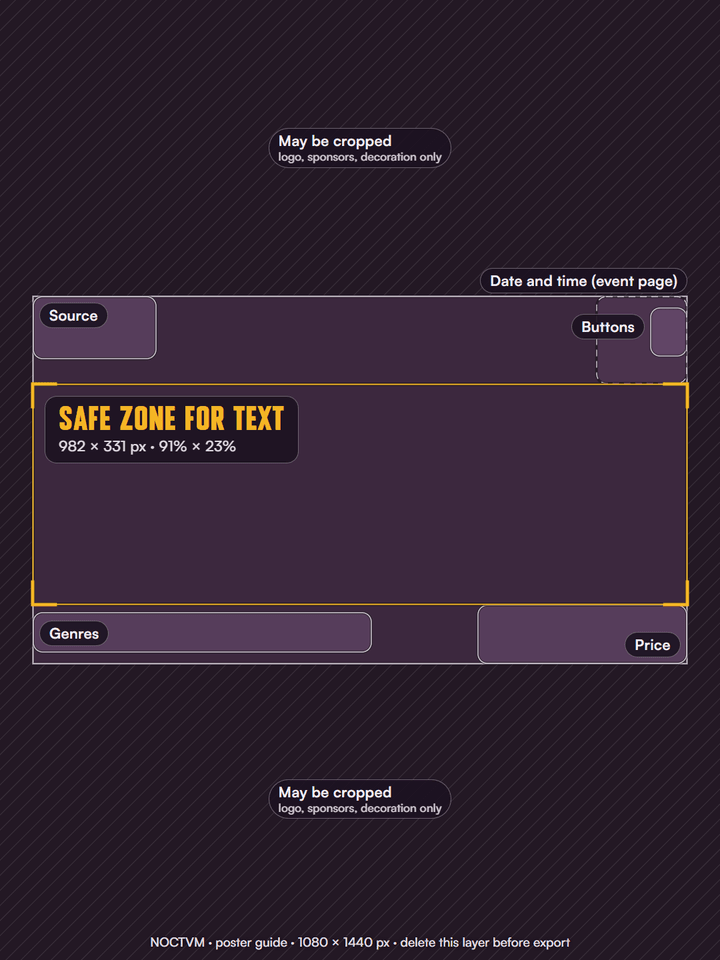
3:4 · 1080 × 1440
Classic portrait.
Safe zone for text: 982 × 331 px (91% × 23% of the poster)
Download the guide (PNG)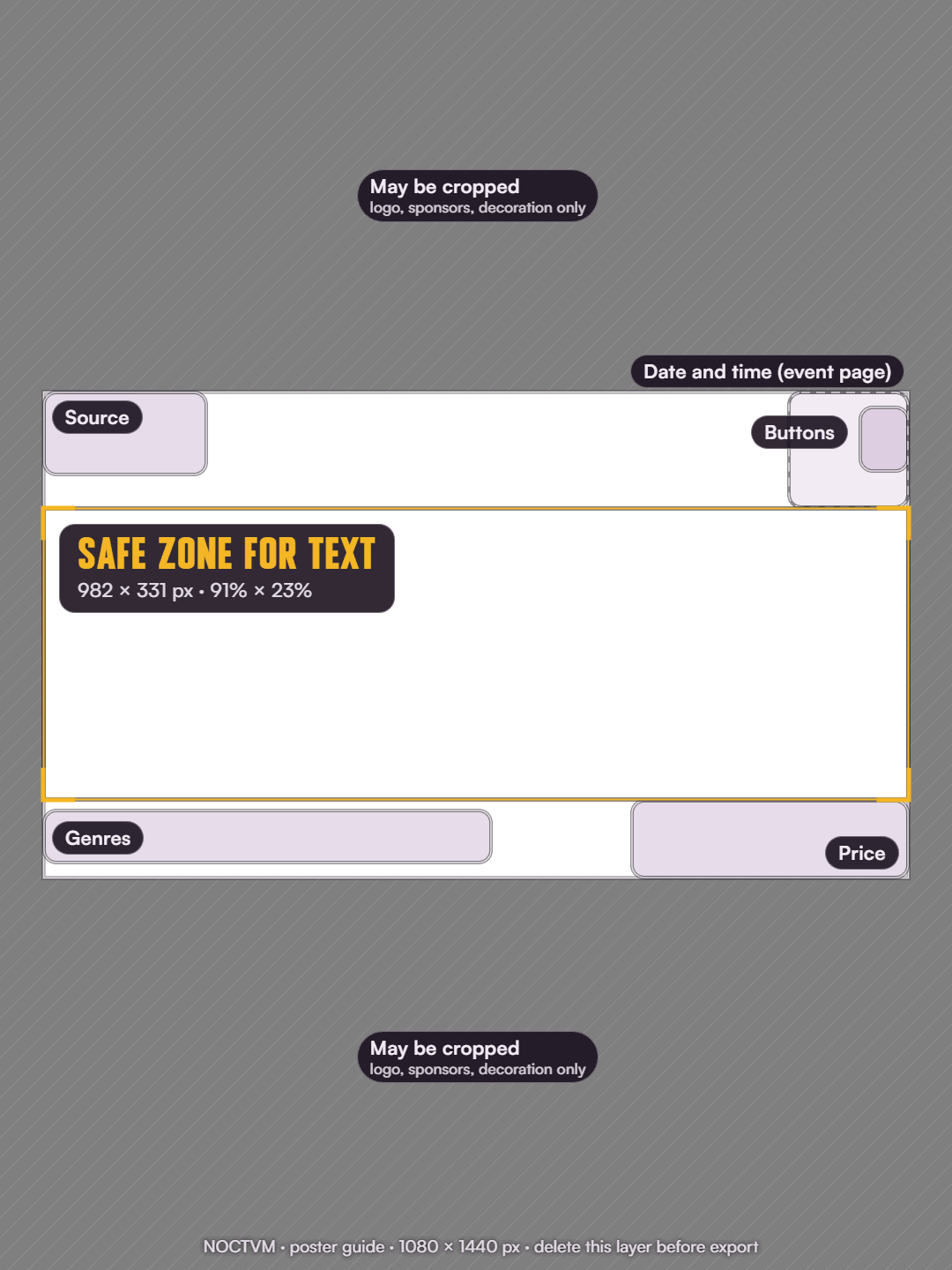
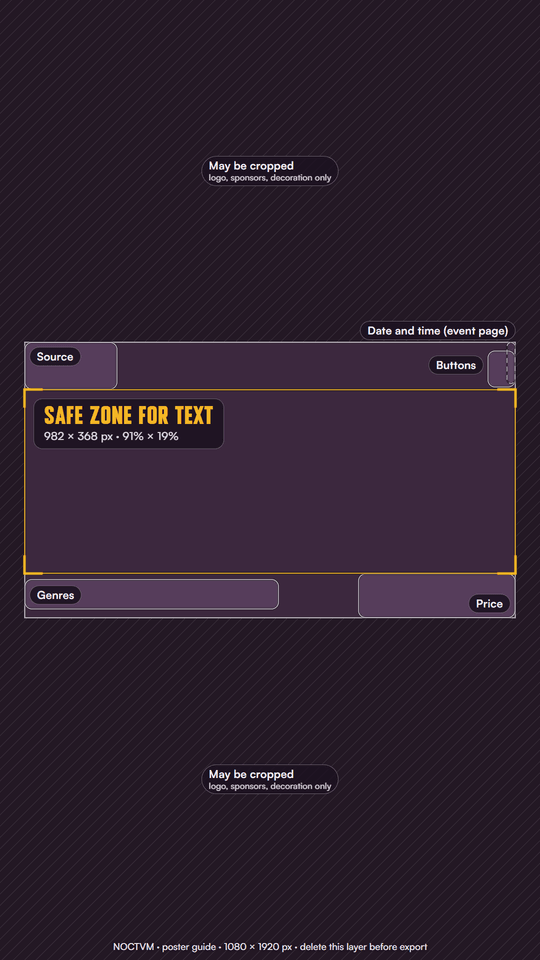
9:16 · 1080 × 1920
For Stories only.
Safe zone for text: 982 × 368 px (91% × 19% of the poster)
Download the guide (PNG)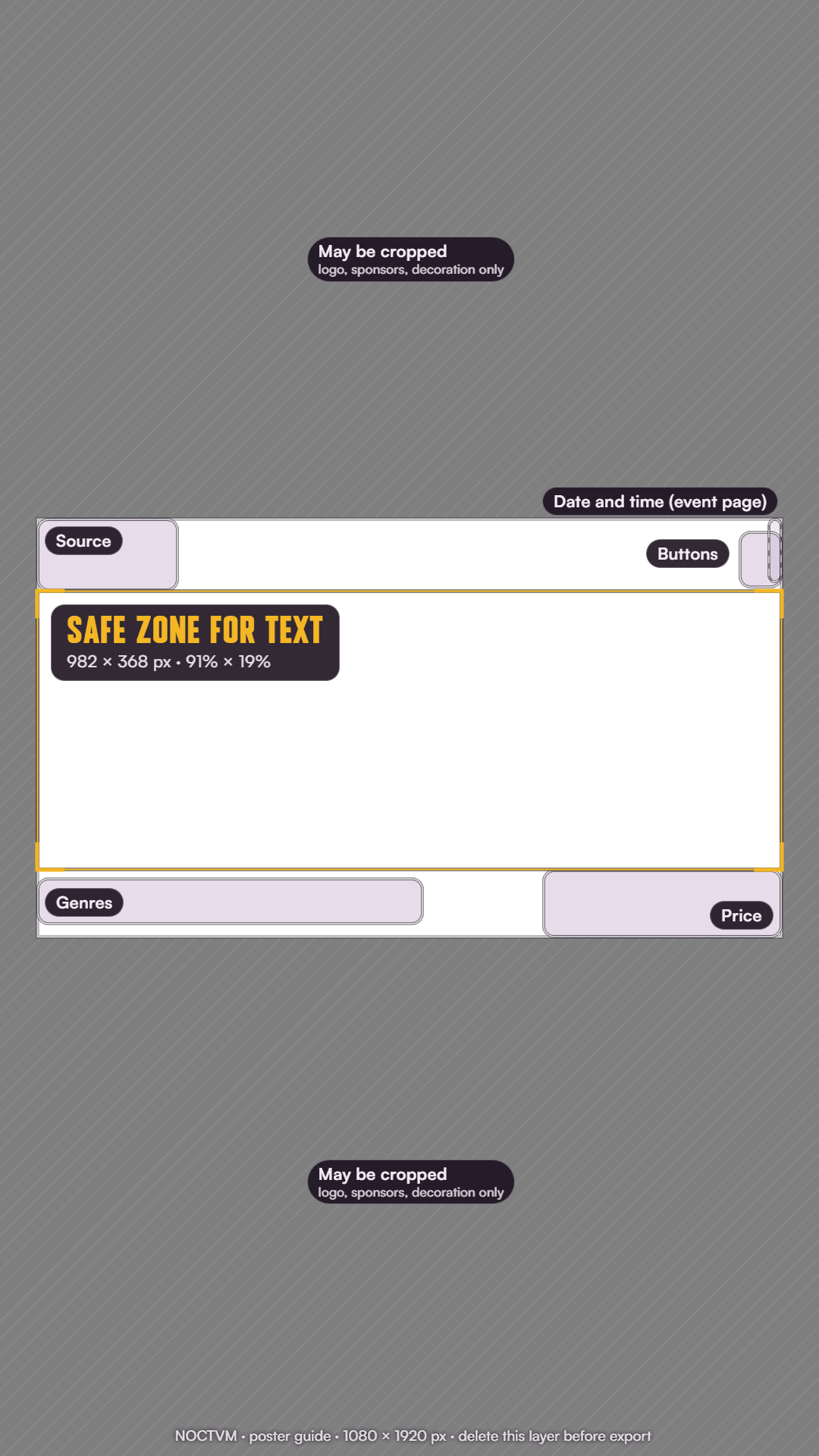
Need something else?
Print files, another size or a question: write to us on Instagram at @noctvm.ro or at support@noctvm.app.